Help & Setup Guides
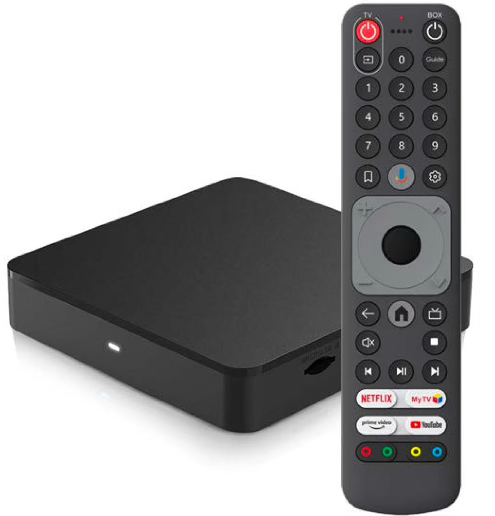
Prodigi Set-Top Box
A small device that connects to your TV to deliver digital cable channels, similar to a DTA (Digital Terminal Adapter). It allows you to access your subscribed TV services, manage channels, and enjoy high-quality digital programming without needing a smart TV. With the set-top box, you can easily navigate your cable lineup and get the most out of your TV service.
Fire TV Stick
A small streaming device that plugs into your TV’s HDMI port, giving you access to thousands of movies, shows, and apps. It lets you stream content from popular services like Netflix, Hulu, Prime Video, and more, all in one place. With a simple remote, you can easily search, play, and control your favorite entertainment right from your TV.
Roku Streaming Device Instructions
A compact device that plugs into your TV’s HDMI port, turning almost any TV into a smart TV. It gives you access to thousands of streaming apps like Netflix, Disney+, and Hulu through Roku’s easy-to-use interface. Simply connect to the internet and download the Prodigi app to start watching your favorite content.
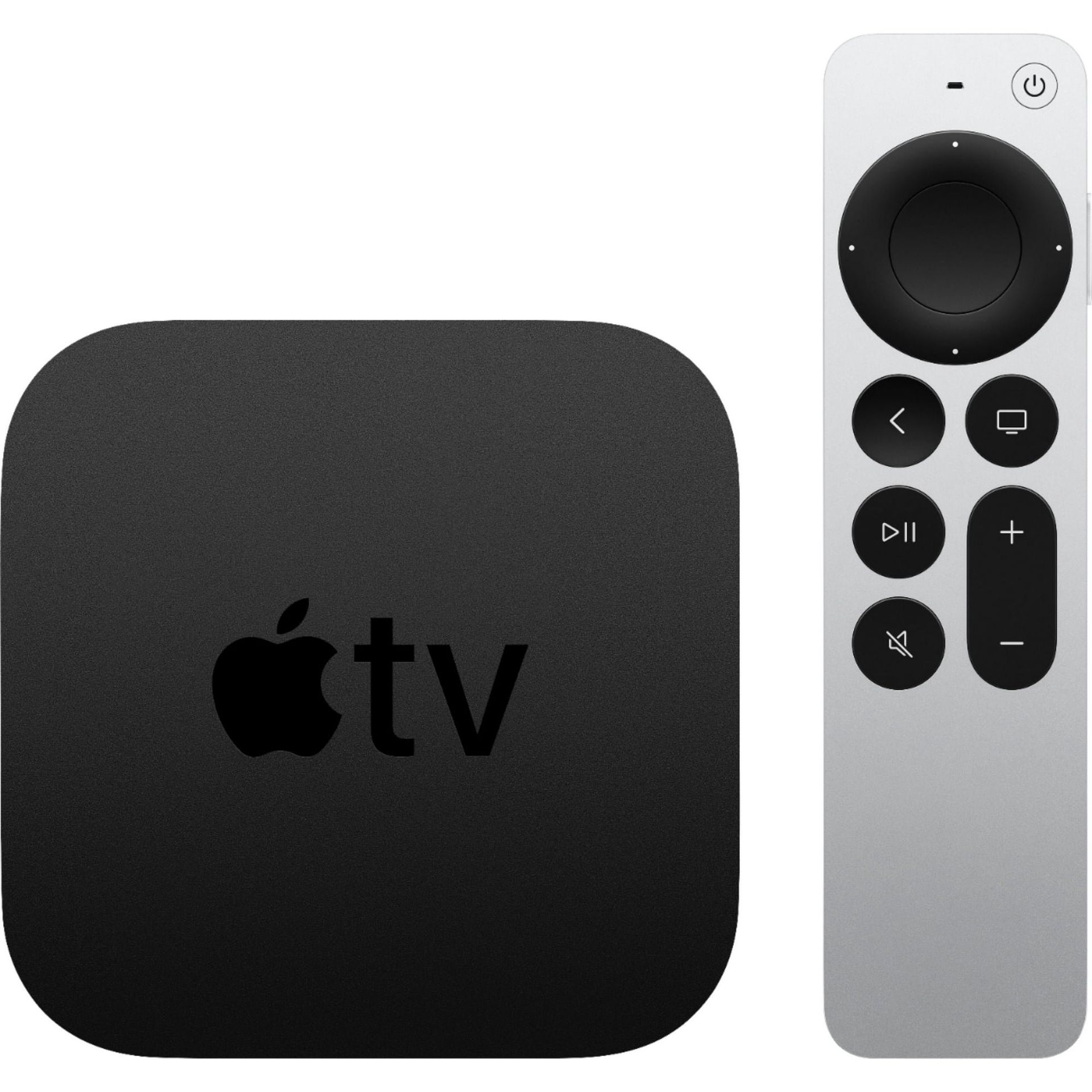
Apple TV Streaming Device Instructions
A compact streaming device that connects to your TV’s HDMI port, giving you access to movies, shows, and apps all in one place. With its easy-to-use interface and remote, you can quickly browse and enjoy your favorite entertainment. Simply connect to the internet and download the Prodigi app to start streaming your service in minutes.
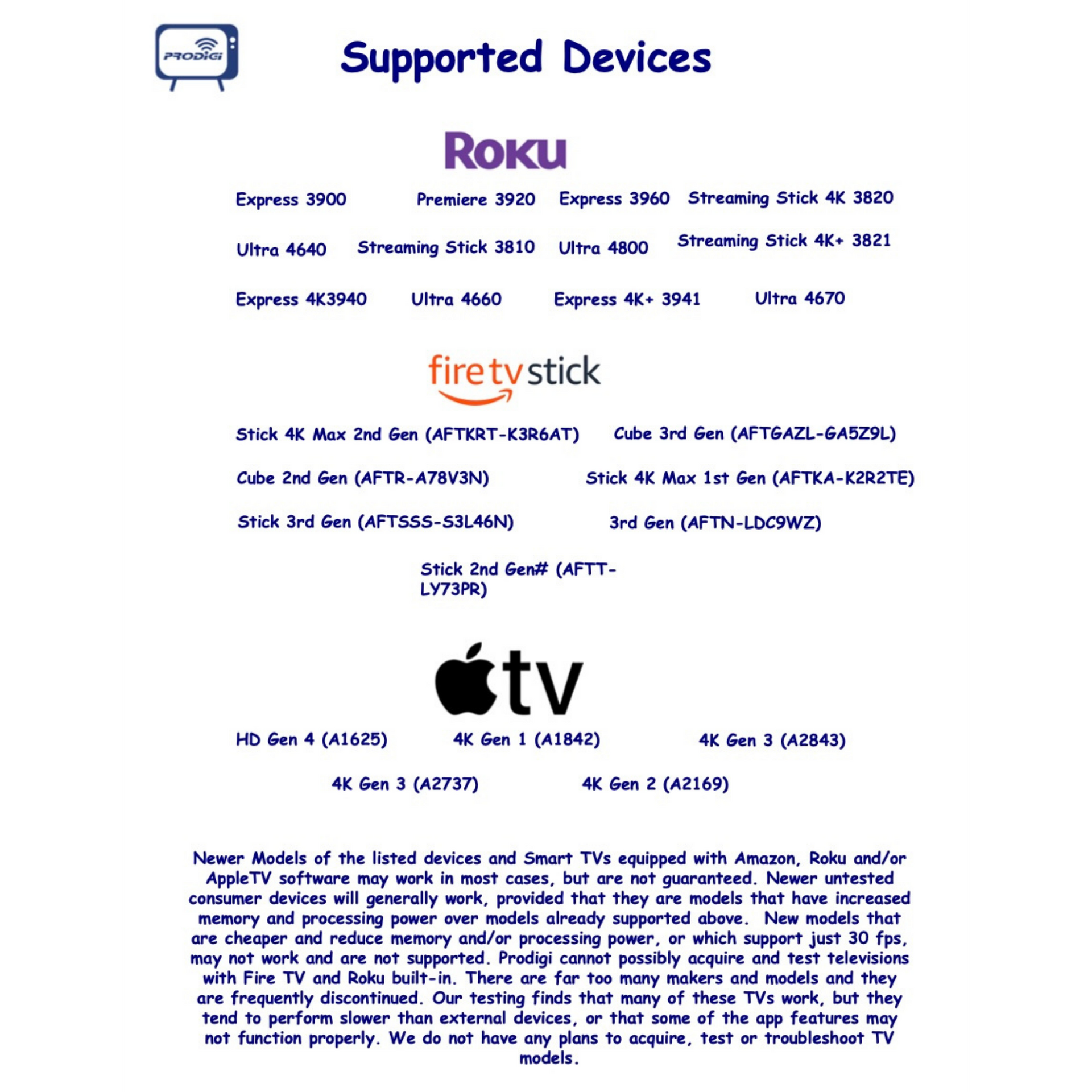
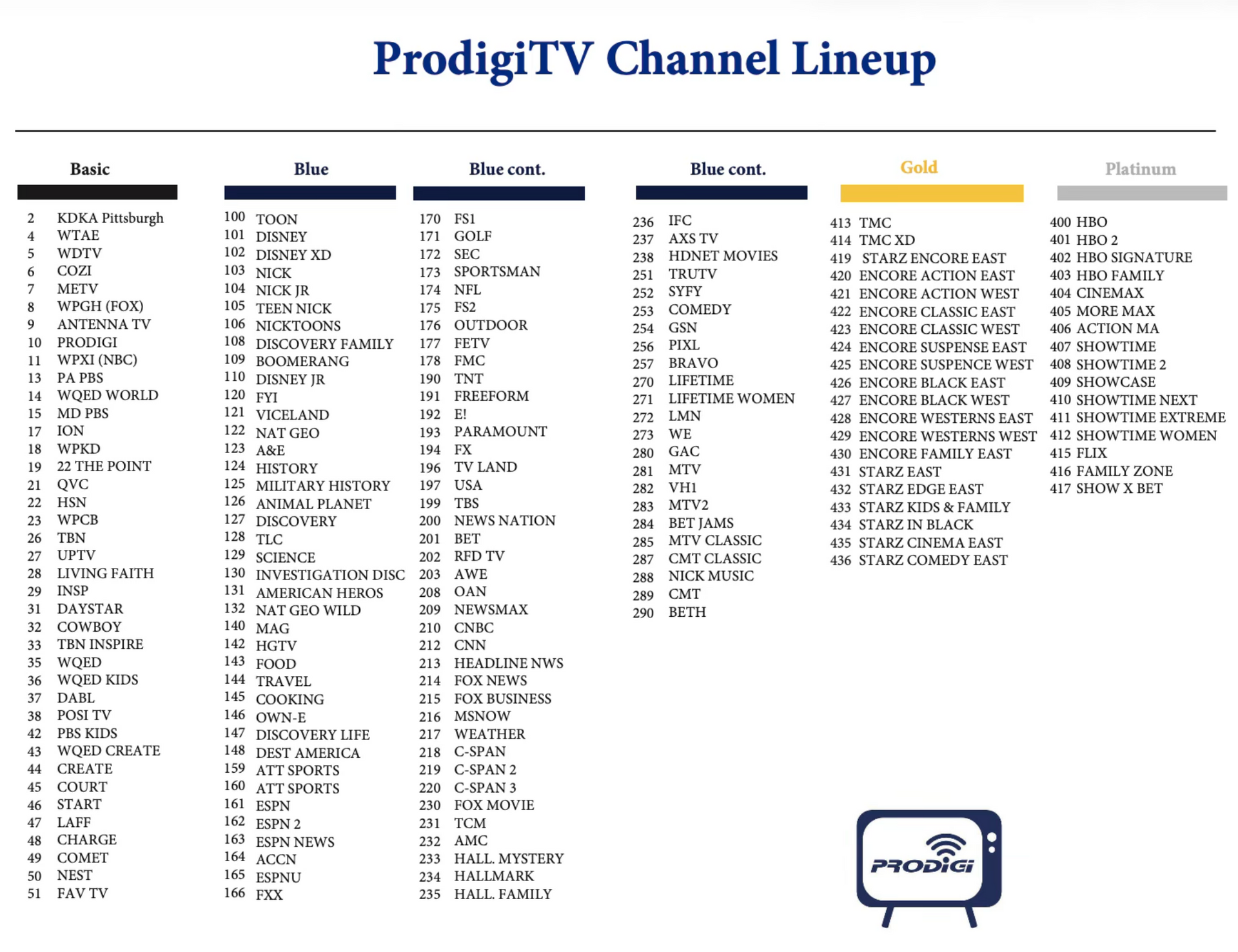
Title or Question
This is the text area for this paragraph. To change it, simply click and start typing. Describe the item or answer the question so that site visitors who are interested get more information. You can emphasize this text with bullets, italics or bold, and add links. Once you've added your content, you can customize its design.
Techincal Support On-Line Form
Fill out the form below to submit your technical support issue or concern. A member of our team will review your request and respond as soon as possible.
For immediate attention please call 304-777-4444
Contact Us
Having speed issues?
Test Your Connection Here
Running a quick speed test is a great way to make sure you’re getting the full performance of the Prodigi fiber network. If you’re a current customer and notice slower speeds than expected, the issue may sometimes be related to something within your home network rather than the fiber connection itself.
In some cases, a router may simply need to be reset, or your computer or device may benefit from a quick restart. Being connected far from your router, using an older router, or having temporary device or software issues can also affect the speeds you experience.
If your speeds still seem lower than expected after trying these steps, don’t hesitate to contact the Prodigi support team. Our technicians are always happy to help troubleshoot and make sure you’re getting the most out of your connection.